Defining a Recurring Trading Partner Report To define a Recurring Trading Partner Report 1 Click the Reports tab > Setup Recurring > Trading Partner Report. The Recurring Report Trading Partner page opens. 2 Type or select the criteria for the report (see “Recurring Trading Partner Report Field Descriptions” on page 96). Status and Frequency Accounts on which the report should be run Format, display, column, and delivery options 3 Click Save. The report is delivered at the requested frequency using the requested delivery method. “Retrieving Files from the FTP Reports Directory” on page 85 “Viewing Recurring Reports in Document Tracking” on page 96 “Stopping a Recurring Report” on page 97
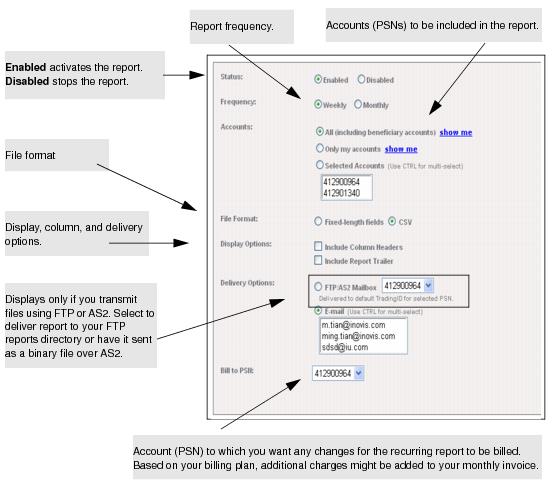
The Recurring Report Trading Partner page opens.
The report is delivered at the requested frequency using the requested delivery method.
View or print a User Guide PDF